Dashboard overview
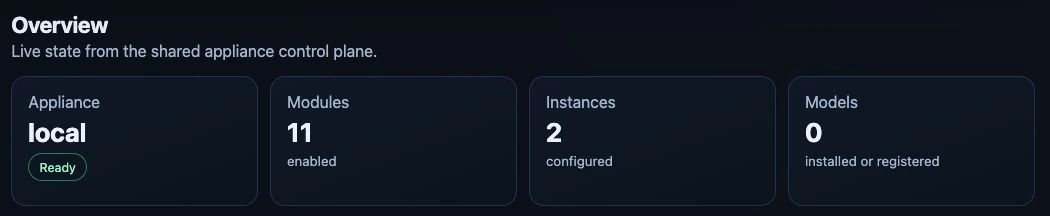
Overview on the test appliance, captured 24 September 2026. The URL list below the cards is outside this crop. Select any screenshot to open it at full size.
UI Areas
| Area | Purpose |
|---|---|
| Overview | Shows appliance health, module/instance/model counts, and the complete local, public, or direct URLs discovered for modules and app instances from Ingress, Gateway API HTTPRoute, and instance status. |
| Models | Creates, edits, starts, stops, and removes local and external model activations, discovers public Hugging Face repositories or Ollama Library models and their selectable artifacts/tags, retains tested presets and direct references, selects CPU or an available NVIDIA/AMD/Intel target, estimates memory, provides the separate FreeToken GPU/RAM controls for its supported NVIDIA path, shows compact per-device memory gauges, and gives administrators a bounded log view for each local runtime. |
| Services | Combines modules and instances: application cards contain their instances, shared AI runtime services stay compact, and technical platform modules are collapsed by default. The create dialog first selects an application and then shows only its configuration. |
| API Access | Lets administrators create multiple named LiteLLM API keys, view their non-secret metadata, and revoke individual keys. |
| Mesh | Administrator-only page directly below API Access for Private Mesh setup, membership, invitations, local-model sharing, and relay settings. Existing Settings Mesh links open this page. |
| Kubernetes Access | Lets administrators assign Viewer, Operator, or Cluster Administrator access to existing SSO identities and download or copy token-free OIDC kubeconfigs. |
| System → Settings → Federated SSO | Free Registered or Commercial: validates OIDC discovery or SAML metadata, stores providers in Keycloak, and maps exact upstream claim/attribute values to fixed Magic Stick roles. |
| System | Groups Settings, License, Users, Hardware, Model cache, System Status, and Computer power behind one primary navigation item. Settings contains the Domains, Federated SSO, Network, and Updates subtabs. Administration areas retain their role, identity, and entitlement restrictions; Hardware and System Status remain available to every dashboard role. Model cache is administrator-only; Computer power is an administrator-only tab immediately after System Status. |
Mesh has a direct link at #/mesh. Settings subtabs have direct links at #/system/settings/<section>; Domains
is the default at #/system/settings. Former #/system/network and
#/system/updates links redirect to the corresponding Settings subtab. Former
#/settings/mesh, #/system/mesh, and #/system/settings/mesh links redirect to Mesh.
Only the selected subtab mounts its page; opening Settings does not apply
network, update, domain, or identity configuration changes.