Chat
Use conversational applications such as AnythingLLM.
AnythingLLM
Magic Stick. Your AI Appliance.
Magic Stick brings AI models, applications and central sign-in together on your infrastructure.
Manage your AI environment through one interface – on your own hardware, in a cloud environment or in an existing Kubernetes cluster.
You remain responsible for the infrastructure and its operation. Magic Stick brings management together.
Software for your own infrastructure. Source-available · BSL 1.1
One place to manage your AI
Models are one part of a usable AI environment. Applications, access and day-to-day management need to work together too.
Magic Stick brings these elements into a shared dashboard. Activate modules, connect models, create application instances and manage users.
 Your command centre
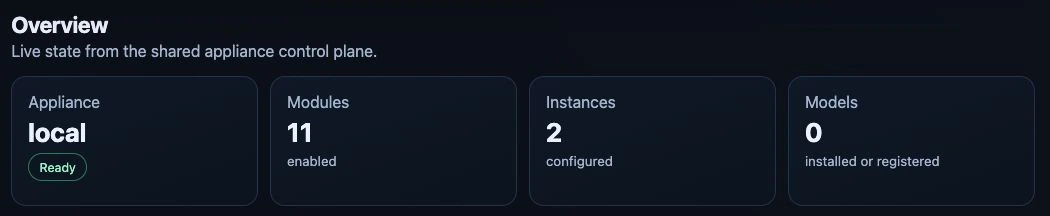
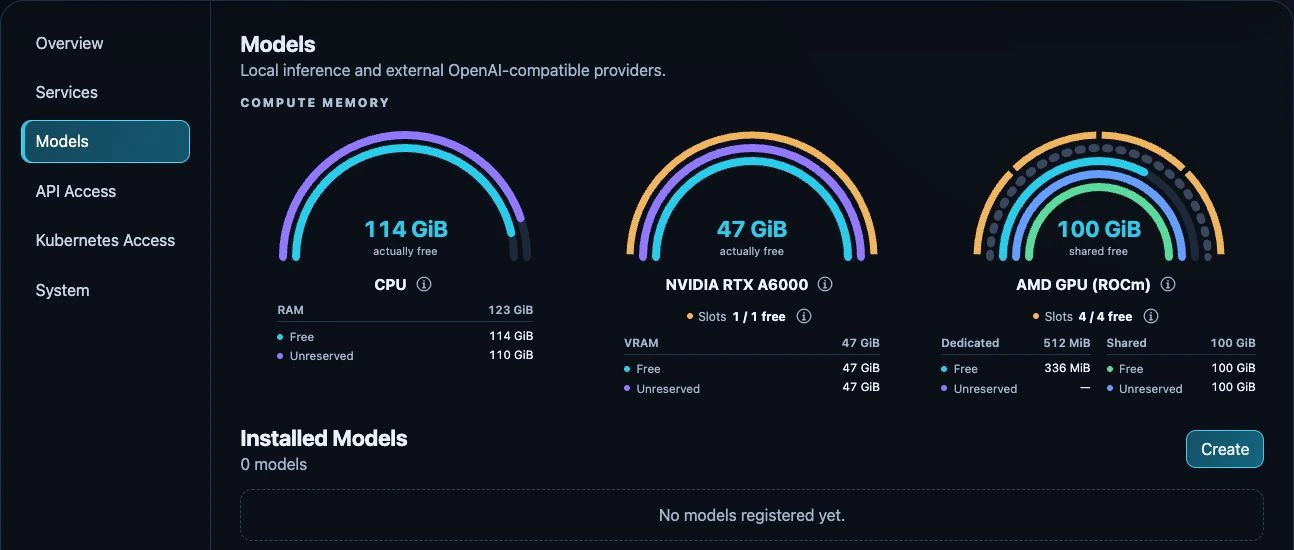
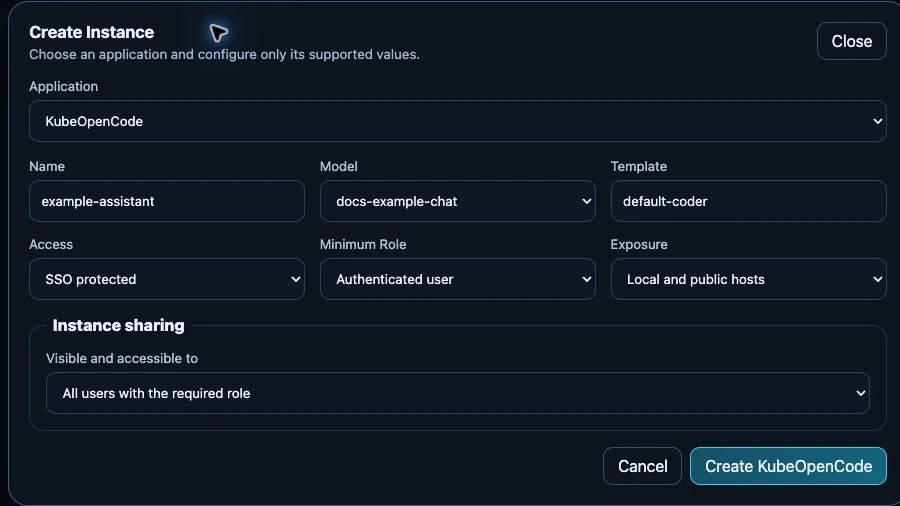
Product interface · Test appliance, 24 Sep 2026 · Example values, not sizing advice
Applications from the catalog
Use conversational applications such as AnythingLLM.
AnythingLLMExplore agent applications and coordinate their work.
Hermes · OpenClaw · PaperclipBring coding workflows into your AI environment.
KubeOpenCodeYour next move
Learn how an AI environment fits together and try applications on infrastructure you manage.
Check the requirementsPrepare a shared AI environment with a clear use case, a defined user group and someone responsible for operations.
Plan your team pilotYour infrastructure
Magic Stick supports several deployment environments. Choose the route that fits the infrastructure you already have or plan to provide.
Start from a bootable Ubuntu image on a dedicated machine.
Prepare a new virtual machine using cloud-init.
Use an existing Ubuntu virtual machine as your platform base.
Add Magic Stick to a cluster you already operate.
The base platform does not require a GPU. You can run small models on a supported CPU, connect external model services and add local GPU model serving when suitable hardware and modules are available.
Using external model services means that requests may be processed outside your own infrastructure.
Check hardware compatibilityDocumentationHardware and network requirementsInstallation overview
Get started
Choose your deployment route and check the requirements for your hardware or virtual environment.
Use the dashboard to configure a model source and set up the application you want to try.
Open your application and test a specific task. Use the result to decide what to configure next.
Internet access is needed for installation and downloads. Initial setup belongs on a trusted private network. Back up existing data before you install.
For your organisation
Bring your IT team, intended users and a concrete use case together. Define what you want to learn before expanding the deployment.
Discuss team useChoose the task, the user group and the deployment environment.
Agree on infrastructure, model sources, access and operational responsibilities.
Review quality, speed, costs and user acceptance against the goals of your pilot.
Planning to use Magic Stick with several people? Get in touch to discuss your setup and clarify the applicable licensing terms.
Magic Stick is source-available under BSL 1.1. Core features need no license file; only federated SSO requires activation. Understand the licenses
Good to know
Your platform. Informed decisions.
Not for the base platform. You can run small models on a supported CPU or connect external model services. Local GPU model serving requires suitable hardware and the relevant configuration. See the compatibility reference.
Magic Stick can connect external model endpoints through LiteLLM and run local models through KubeAI with Ollama or vLLM, or directly with FreeToken. The model source depends on your setup.
Not automatically. If you connect external model services, requests can leave your infrastructure. Data flows depend on the applications, model sources and configuration you choose. Installation and downloads also use external sources.
You or your organisation remain responsible for infrastructure and operations. Your IT team or an external service provider can support you.
Magic Stick uses Keycloak and Envoy Gateway for central sign-in to the dashboard and appropriately configured application routes. Application-specific permissions remain within the applications.
Installation and ongoing operation need technical ownership. The exact requirements depend on your deployment route. If you are planning a team deployment, involve your IT team or service provider early.
Kubernetes with Flux keeps the platform configured. The Magic Stick Operator prepares model runtimes from your dashboard settings, and LiteLLM gives applications one model API. Read the architecture overview for the details.
Start with the troubleshooting guides and the support policy. Project support is best-effort, without a guaranteed response time. Keep credentials and private deployment information out of public issues.
Take the controls
Explore the setup requirements or talk to us
about a pilot for your organisation.
